


TLDR:
- Scrunch is now a supported integration in Zapier, allowing you to trigger automated workflows using your AI visibility data.
- Automatically flag meaningful movement in your AI search data and pipe the signals into thousands of apps, like Slack, Linear, Notion, and HubSpot.
- Your insights become automated actions, no dashboard-watching required.
Even the most valuable insights are worthless if they’re sitting in a dashboard nobody’s logged into.
That’s why Scrunch pushes data from our UI directly into the surfaces where teams already work, from your favorite AI assistant to your email inbox.
Now, thanks to our new integration with Zapier, you can turn those insights into fully automated workflows across the rest of your stack.
Data only earns its keep when it shapes what you do next.
Here’s how Scrunch and Zapier make it happen together.
Send Signals to the rest of your stack
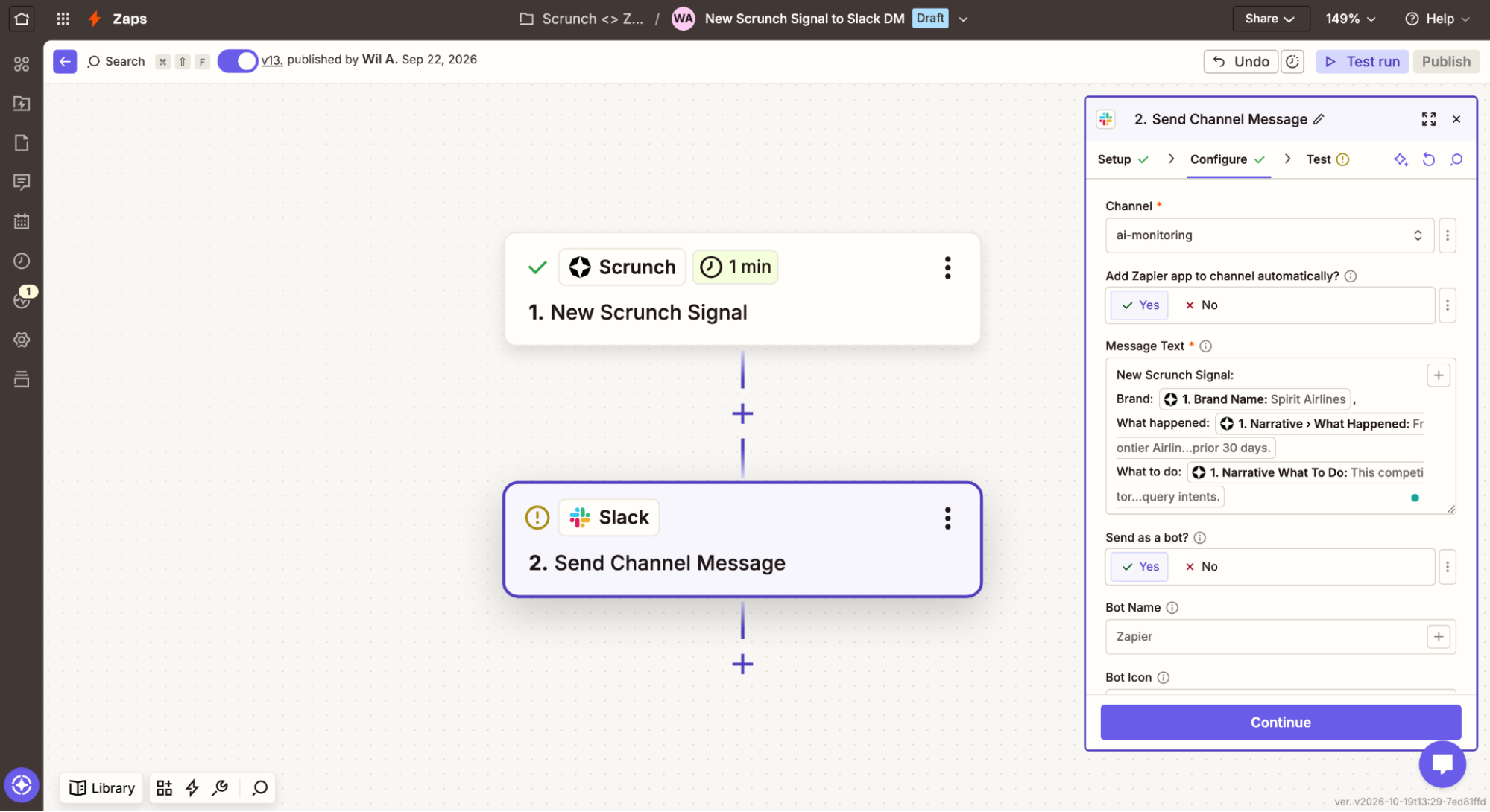
Scrunch’s Signals feature automatically flags meaningful movement in your AI search data and tells you what happened, why it matters, and what to do about it.
Think meaningful trend shifts, major spikes or drops in performance, and relevant competitor activity.
Using Zapier, you can hand that information off to the tools your team uses every day, including Slack, Linear, Notion, HubSpot, Airtable, ActiveCampaign, and thousands of others.
Scrunch currently supports two triggers that each kick off their own automated workflow:
- New Signal: Fires the moment Scrunch detects a new Signal for your brand. Use it when you want to know the instant something happens.
- Custom Signal threshold: Fires when a metric you’re tracking crosses a limit you set. Use it when you want to hear about the changes that matter most to you.
Here’s a taste of what’s possible:
- Scrunch to Slack: A new Signal concerning your top competitor lands in your #competitive channel the second it appears. Your whole team sees the shift at the same time, without anyone needing to run a report.
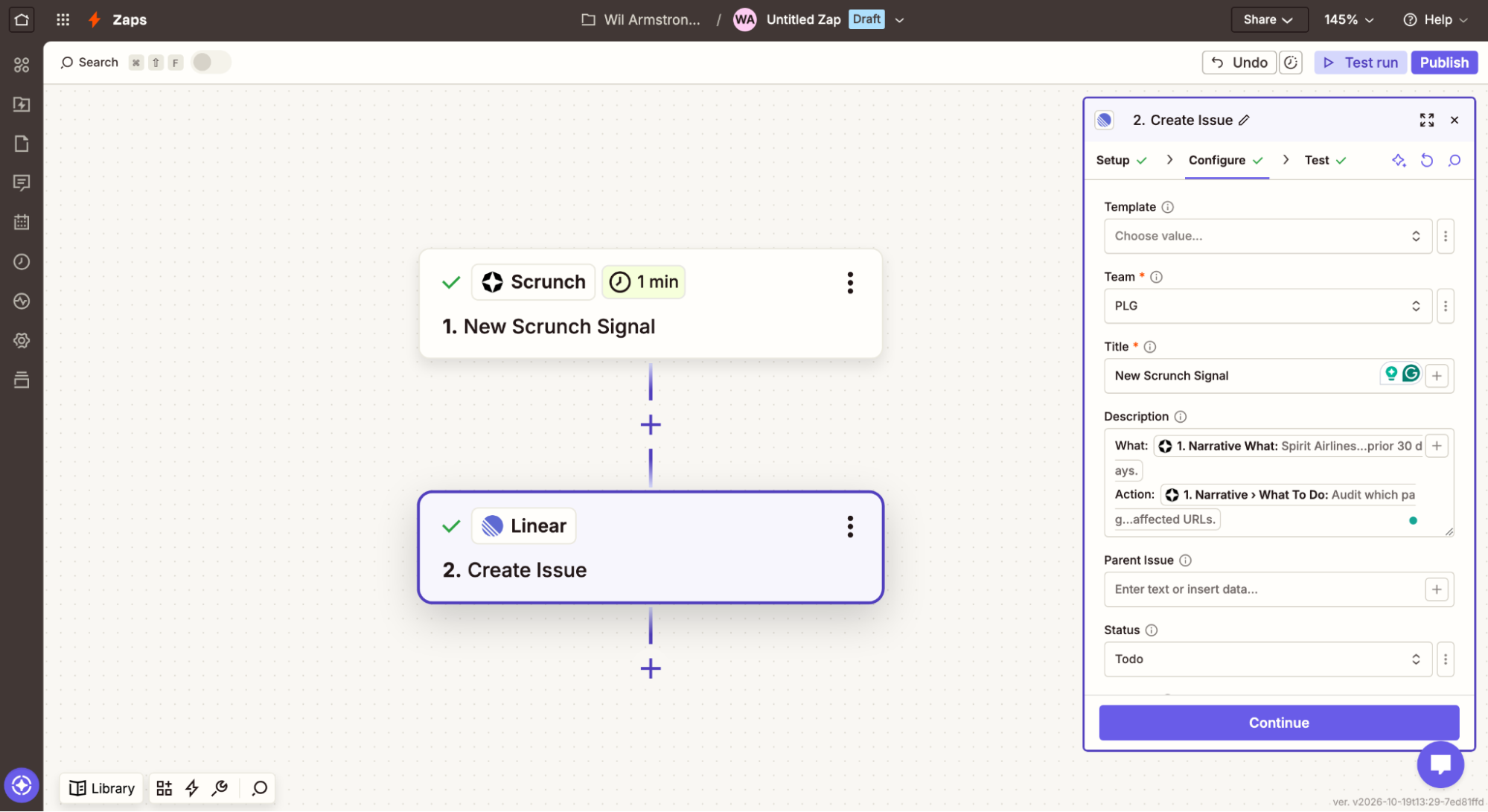
- Scrunch to Linear: Your mention rate drops below a preset threshold for a specific topic, and a task appears for your content team automatically. The dip becomes assigned work before anyone even noticed it.
- Scrunch to HubSpot to Notion: Your citation rate falls on a specific AI platform. The Zap checks HubSpot to see whether anything related is already on your content calendar. If there’s a gap, you have AI kick off a draft outline and open it up in a Notion page for review. A hole in your AI search presence turns into a deliverable sitting in someone’s queue, same day.
- Scrunch to Salesforce to Gmail: Maybe you work at an agency, and one of your clients sees a big dip in citations. Your Zap runs a lookup in Salesforce to see who the account manager is, alerts them to what’s happening, and drafts an email for them so they can proactively reach out.
None of these require you watching a dashboard. And that’s the whole point.
Scrunch doesn’t just tell you what changed, it tells your whole toolkit.
Hook it up and hand it off
All you need to get started is your Scrunch API key and an active Zapier account.
Create a new Zap, choose Scrunch as your trigger app, and decide what you want to automate and where.
Alerting stakeholders in real time. Triggering internal workstreams. Feeding data into your reporting, minus the manual exports.
How you put Scrunch and Zapier to work is up to you.
Pick a trigger, point it at your stack, and go.
Spot the shift and act on it with Scrunch and Zapier
Observe and act on autopilot. Start a 7-day free trial or get in touch to see how Scrunch can help you put your AI visibility data to work.


