Agent Experience
Monitoring & Insights



How to optimize content for AI search
Quick answer
Optimize content for AI search from Scrunch's Site Maps tab.
Content optimization makes it easier for AI platforms to extract, summarize, and cite page content. Here's how to do it:
Start in the Site Maps tab to deploy Optimizer:
- Scroll to the table of mapped webpages or use the search bar to locate a specific URL.
- Click into a page to open its Page Details page.
- Navigate to the Optimizations section and click "Optimize."
Get detailed recommendations (without AXP):
- Review practical updates to make your human-readable site more AI-friendly.
- Apply suggestions like clarifying summaries, descriptive image text, FAQs, etc.
- Copy directions or export them to share with your team.
Optimize pages automatically (with AXP):
Generate an optimized version of page content based on:
- Page URL: The page you're optimizing
- Intent: The likely intent of page visitors
- Target Persona: The primary persona you want to reach
- Prompts: The prompts the page should be optimized for
- Sources: URLs, files, or Knowledge Documents Optimizer should pull from
- Custom instructions: Specific directions or guidelines
Deploy optimized content: Copy content as Markdown to publish through your CMS or stage it for deployment via the Agent Experience Platform (AXP) to serve AI-optimized content directly to LLMs without changing the human experience on your website.
Bottom line: AI recommends content it can easily read—optimized content boosts your chances of being mentioned and cited in AI answers.
Start here
Why you should optimize content for AI search
Content optimization—aka creating or updating content to make it easier for AI to read and recommend—is key to showing up in AI answers. AI platforms can’t cite what they can’t parse. To optimize AI search performance, you need to make it frictionless for AI to consume your content.
Here’s how to do it using Scrunch.
Before you begin:
- Log in to Scrunch or sign up for a free 7-day trial to follow along.
- Add your brand and website to the AI Context tab in Scrunch, including any alternate domains or subdomains you want to track.
- Customize your brand context in Scrunch (alternative brand names, key competitors, customer personas, key topics, etc.).
- Add prompts to track in the Prompts Monitoring tab in Scrunch (or let Scrunch’s AI generate prompts for you based on your brand or convert a list of SEO keywords into prompts).
Step 1: Deploy Optimizer in the Site Maps tab
Log in to Scrunch and navigate to the Site Maps tab.
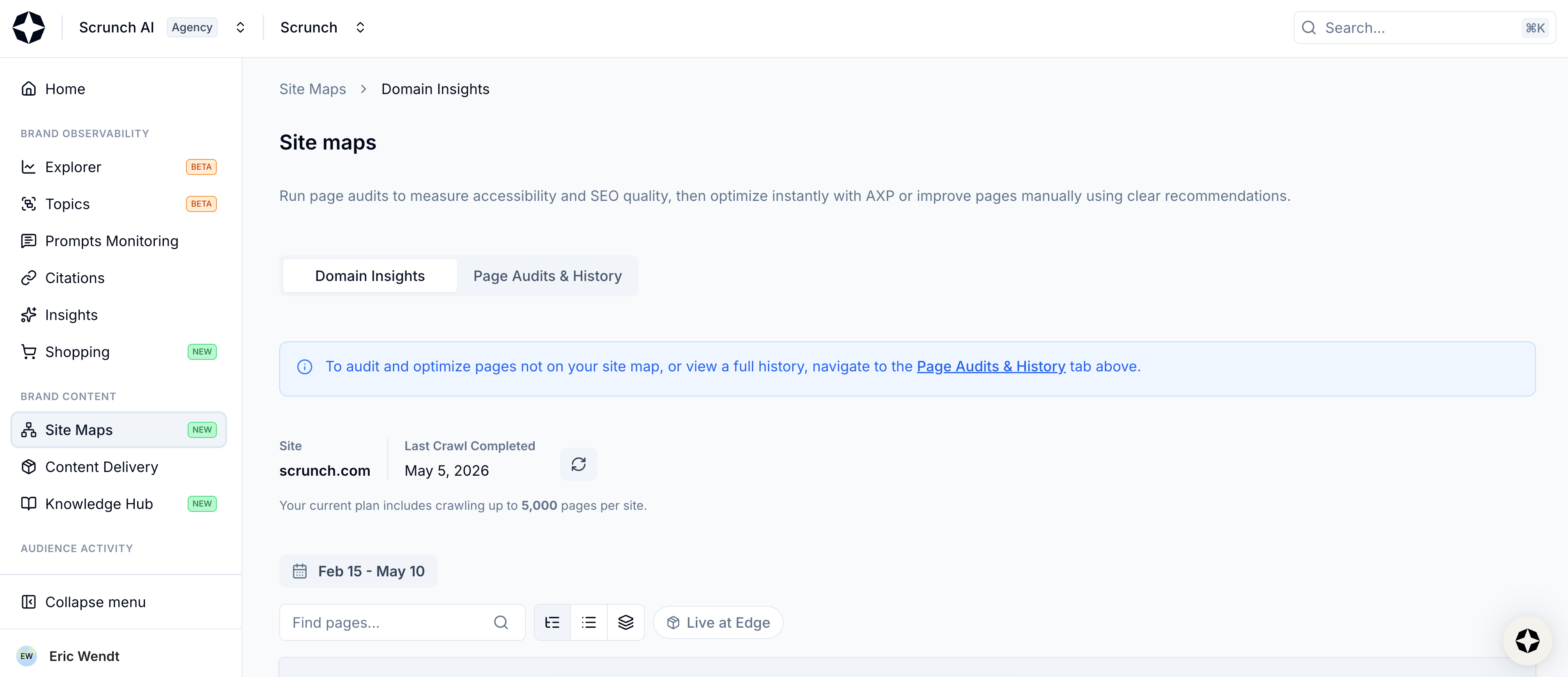
Select Site Maps from left-hand sidebar
This page is your command center for evaluating and optimizing website performance in AI search.
Scroll down the page and you’ll find a table featuring every mapped page on your website (check out this guide for a deep dive on Site Maps).
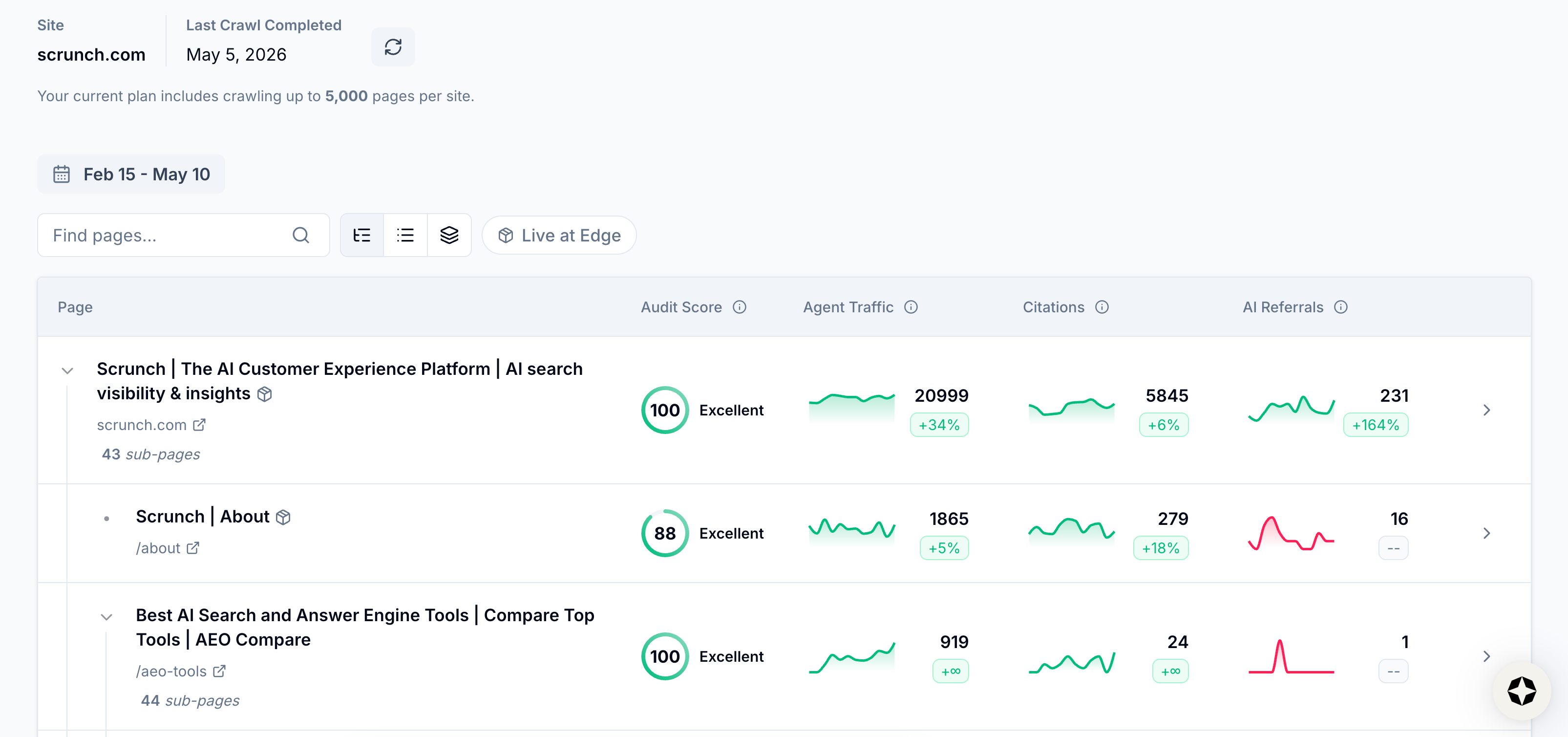
View mapped pages
Find the page you want to optimize in the table or use the search bar above the table to locate it.
Click into a page to open its Page Details page.
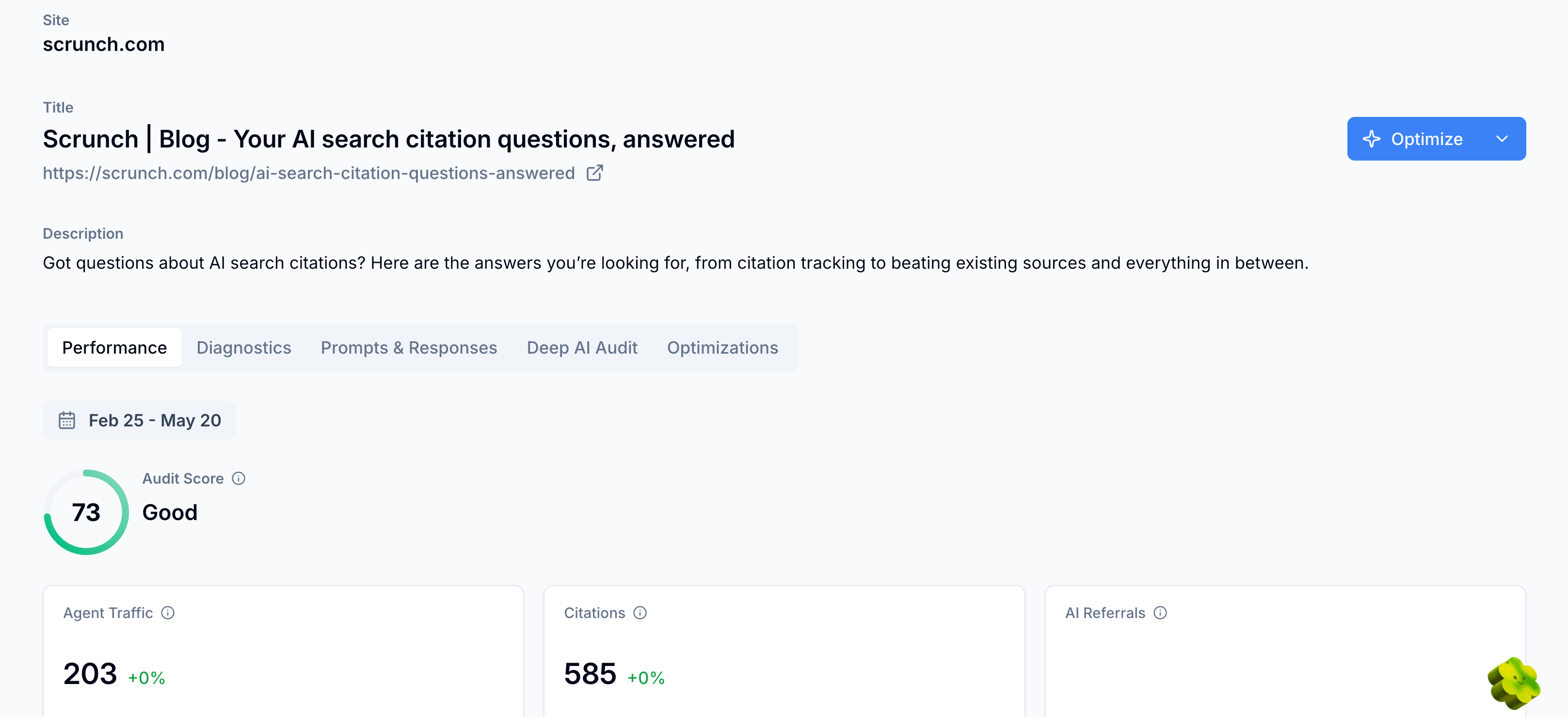
View Page Details page
Navigate to the Optimizations section and click the “Optimize” button.
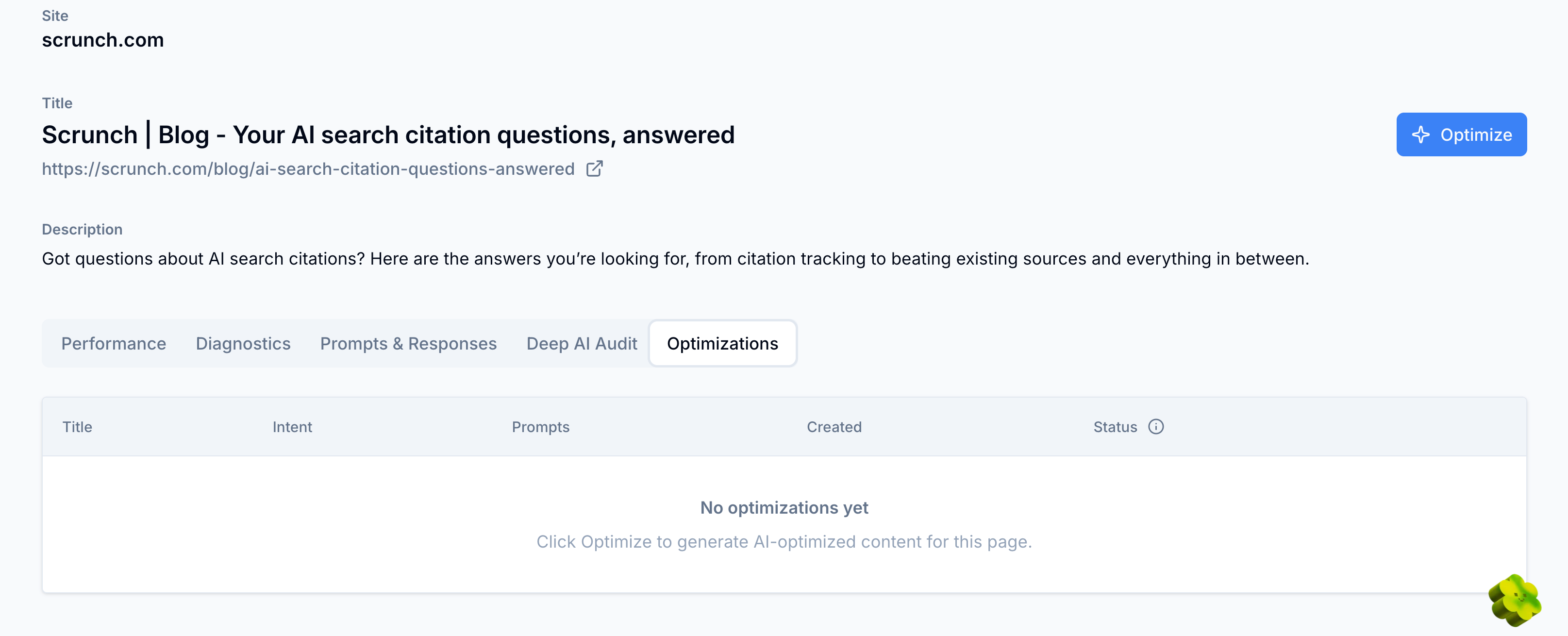
Select Optimize button
If you’re not using Scrunch’s Agent Experience Platform (AXP), Scrunch will return up to five actionable recommendations to help you improve your content for better AI search visibility.
This includes practical updates you can apply to the human-readable version of your site to make it more AI-friendly, like adding clarifying summaries, descriptive image text, FAQs, and more.
Scrunch walks you through each issue on the page and the recommended change. You can copy-paste directions or export them to share with your team.
If you are using AXP, Scrunch will take you to the Optimize page, where you can configure exactly how the page will be optimized.
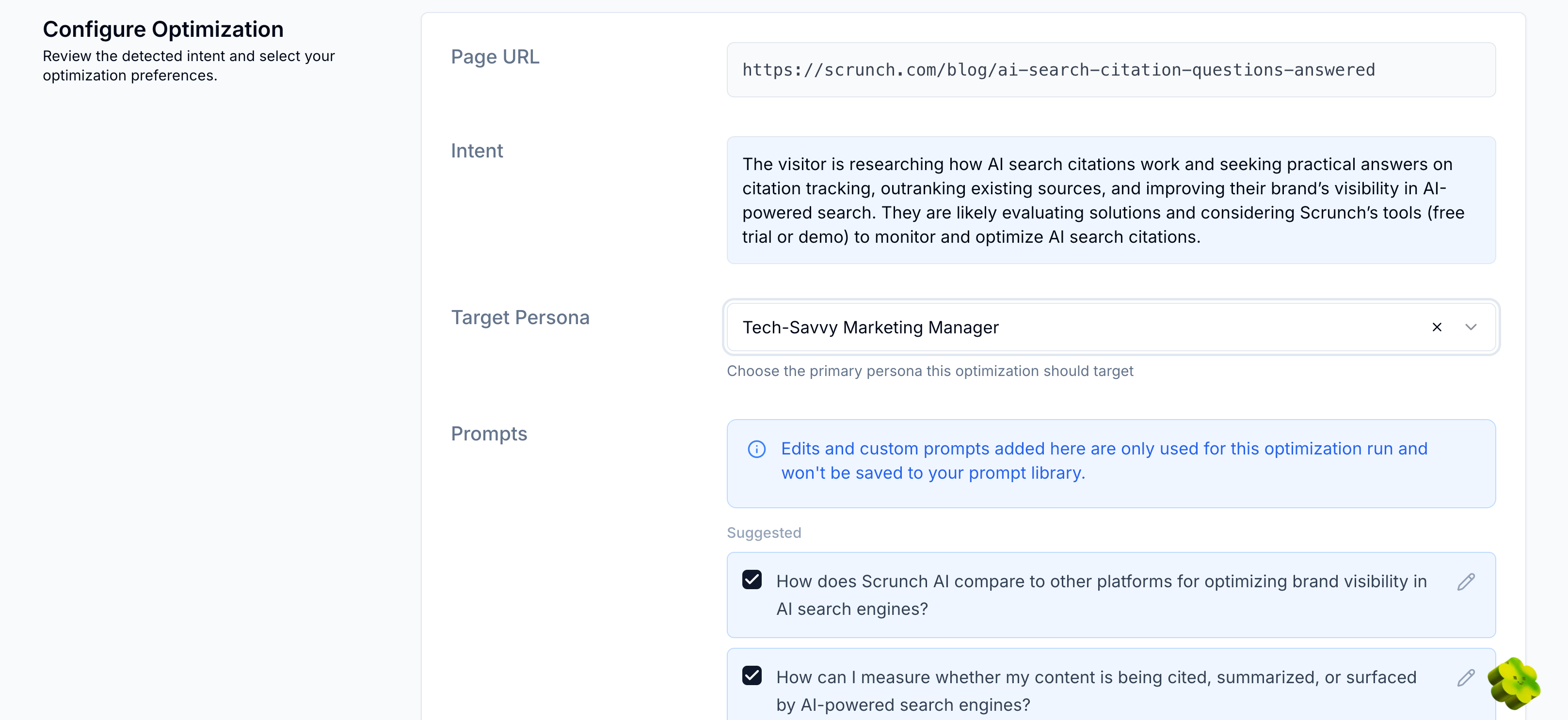
View Optimize page
You’ll see options for:
- Page URL: The URL of the page you’re optimizing
- Intent: The likely intent of page visitors to optimize for
- Target Persona: The primary persona you want page optimization to target
- Prompts: The prompts the page should be optimized for—you can choose from automated recommendations based on your tracked prompts, search and select across your existing prompts, or add custom prompts
- Sources: The URLs currently on your site that Optimizer should pull content from—you can choose from automated recommendations based on your site map, add a custom URL, or upload files
- Knowledge documents: The Knowledge Documents created in Scrunch’s Knowledge Hub that Optimizer should pull from—structured, information-dense, and brand-approved content that you want to show up in AI answers
- Custom instructions: The specific instructions you want Optimizer to follow, like focusing on certain product features or following a particular tone and style
Note: You can program Default Custom Instructions at the brand level in the AI Context tab so that they populate in the Custom instructions input field automatically. You can always override them if you want to apply custom instructions for a specific page.
💡 Pro tip: Scrunch recommends prioritizing high-intent, non-branded prompts that represent core product categories and audience demand. Identify and fill content gaps by updating or creating content that exceeds the quality of content currently being cited as a source by AI platforms.
Configure your optimization and click the “Optimize Page” button.
Scrunch will then optimize the page based on your configuration.
At the top of the page are the various inputs you previously configured. Further down you’ll find your optimized content, along with its token count.
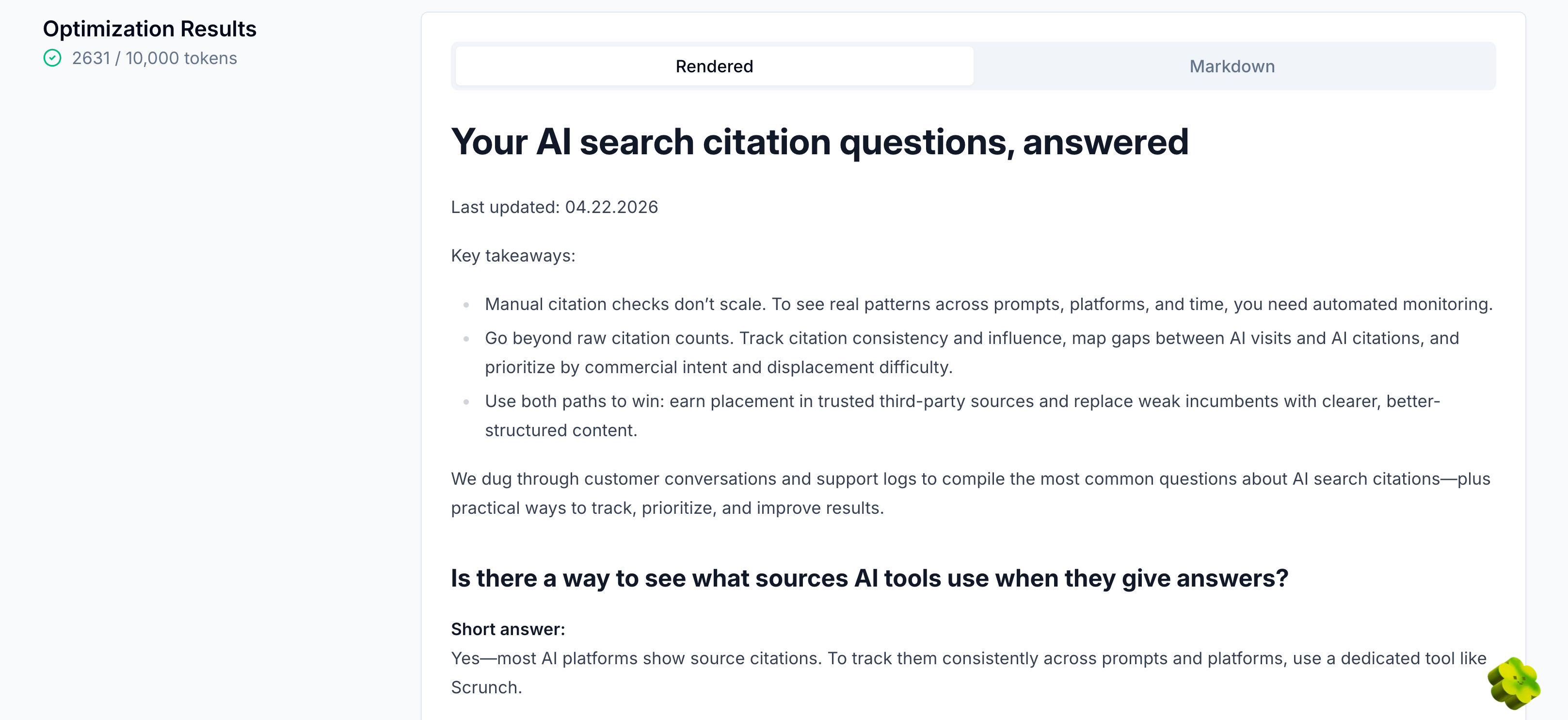
View optimized content
From here you can copy the page content as Markdown and publish it using your content management system or push it straight to the Agent Experience Platform (AXP) by selecting “View Optimization” and clicking the “Stage for AXP Deployment” button.
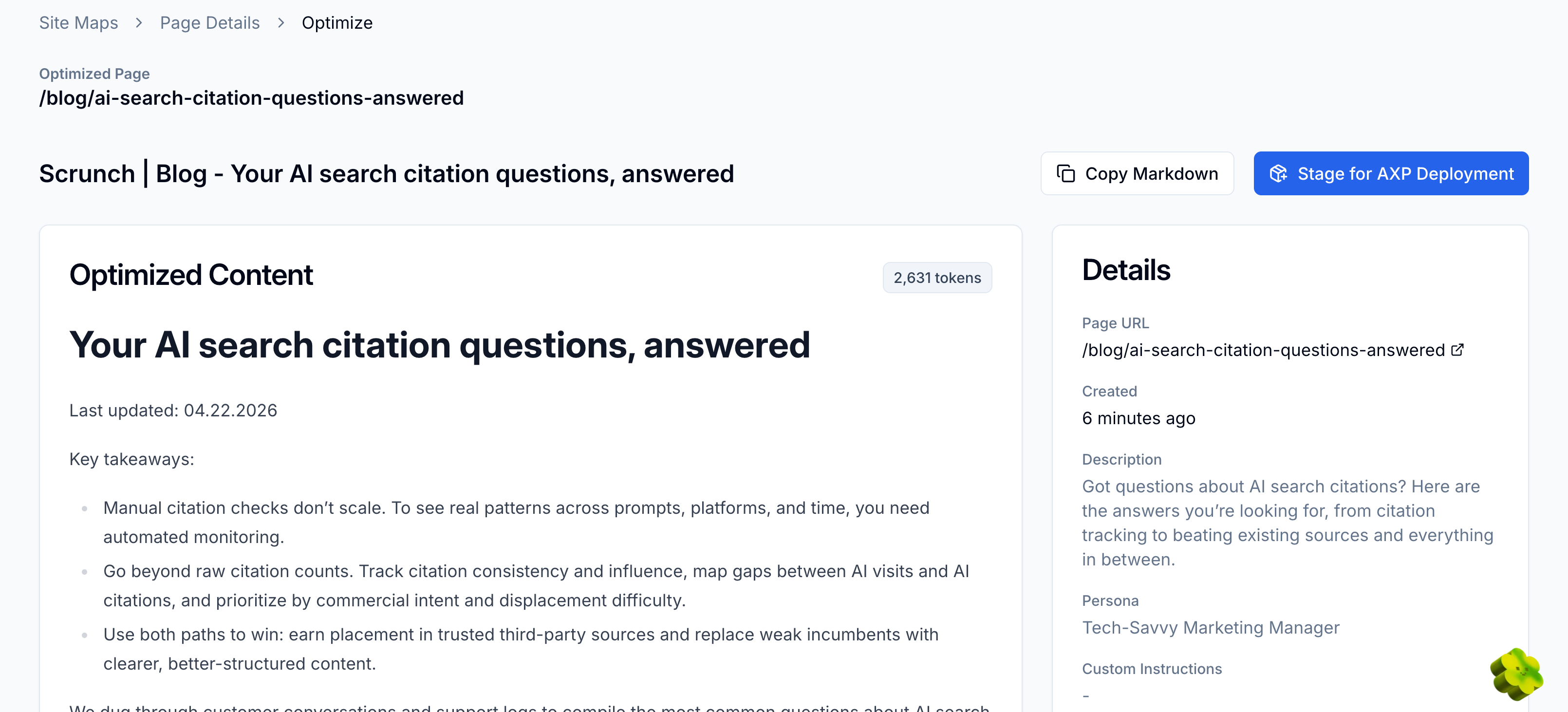
Select Stage for AXP Deployment
You’ll see the optimized content ready to deploy at the top of the Content section in the Content Delivery tab. Simply click the “Deploy” button to push it live.
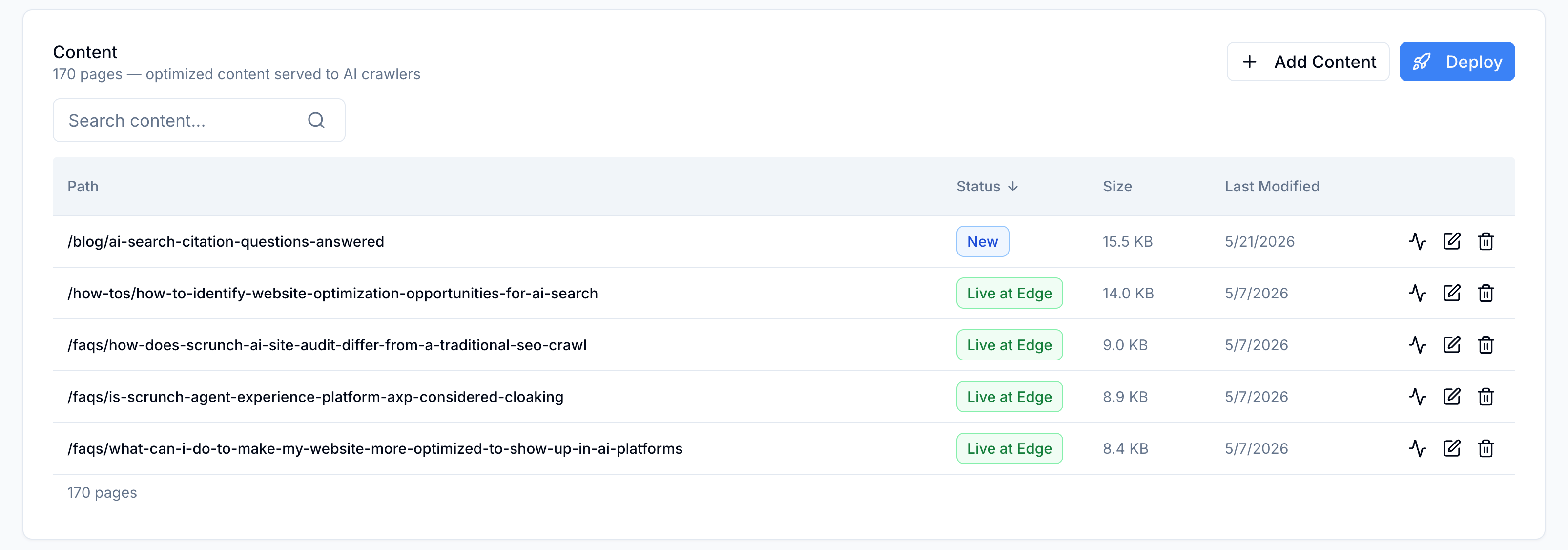
View Content
AXP will automatically detect AI agent traffic to your website and serve an optimized version of the page content to LLMs minus any unnecessary code or other issues that may obstruct AI from pulling meaningful content from your page.
Scrunch automatically restructures, summarizes, and translates content into greatly simplified HTML for LLMs in your existing URL structure so key facts and messages are surfaced clearly.
We cover using AXP to serve AI-optimized content directly to LLMs in a separate guide here.
💡 Pro tip: Use Optimizer in conjunction with AXP for the best results. Optimizer will help you generate an AI-optimized version of page content while AXP technically optimizes it further and serves it to AI user agents at the CDN level without changing the human version of your website in any way.
Keep in mind that you can review, reoptimize, restage, and redeploy any page content at any time from the Optimizations section in the Site Maps tab.
Simply click the “View Optimizations" button and click “New optimization.”
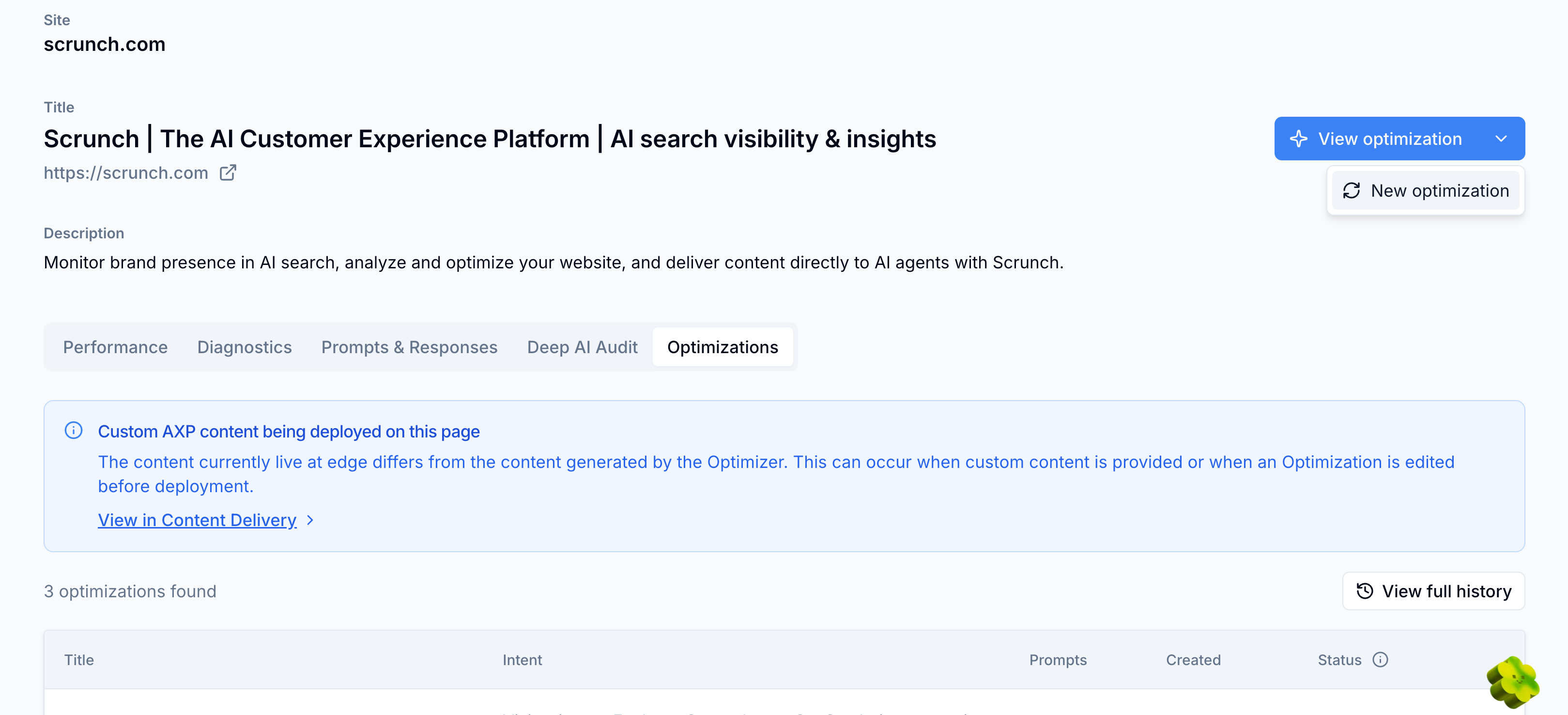
Select New optimization
You can also see the full history of all page optimizations further down the page. Details will automatically populate as pages are optimized and deployed.
Once optimized content is implemented, you can track changes over time and see how improvements to individual pages impact your AI search performance.
What’s next
Start optimizing content:
- Map out page updates: See how different webpages perform in AI search to prioritize optimization efforts.
- Run a site audit: Fix access, delivery, or content issues hurting your visibility.
- Optimize frequently crawled webpages: Focus on making technical and content updates to the pages most commonly crawled by AI bots.
- Serve AI-optimized content directly to LLMs: Deliver clean, structured, LLM-optimized page content to AI bots minus any superfluous code or other issues that may hinder AI consumption.
Optimizing content for AI boosts your chances of being mentioned and cited in AI answers, but it’s only one part of a comprehensive AI search strategy.
Scrunch recommends site auditing to find and fix technical issues, as well as tracking brand presence, citations, AI agent traffic, and AI referral traffic to see how both content and technical improvements impact AI search performance and business results.
Not a Scrunch customer yet? Start your 7-day free trial or request a demo to see Scrunch in action.