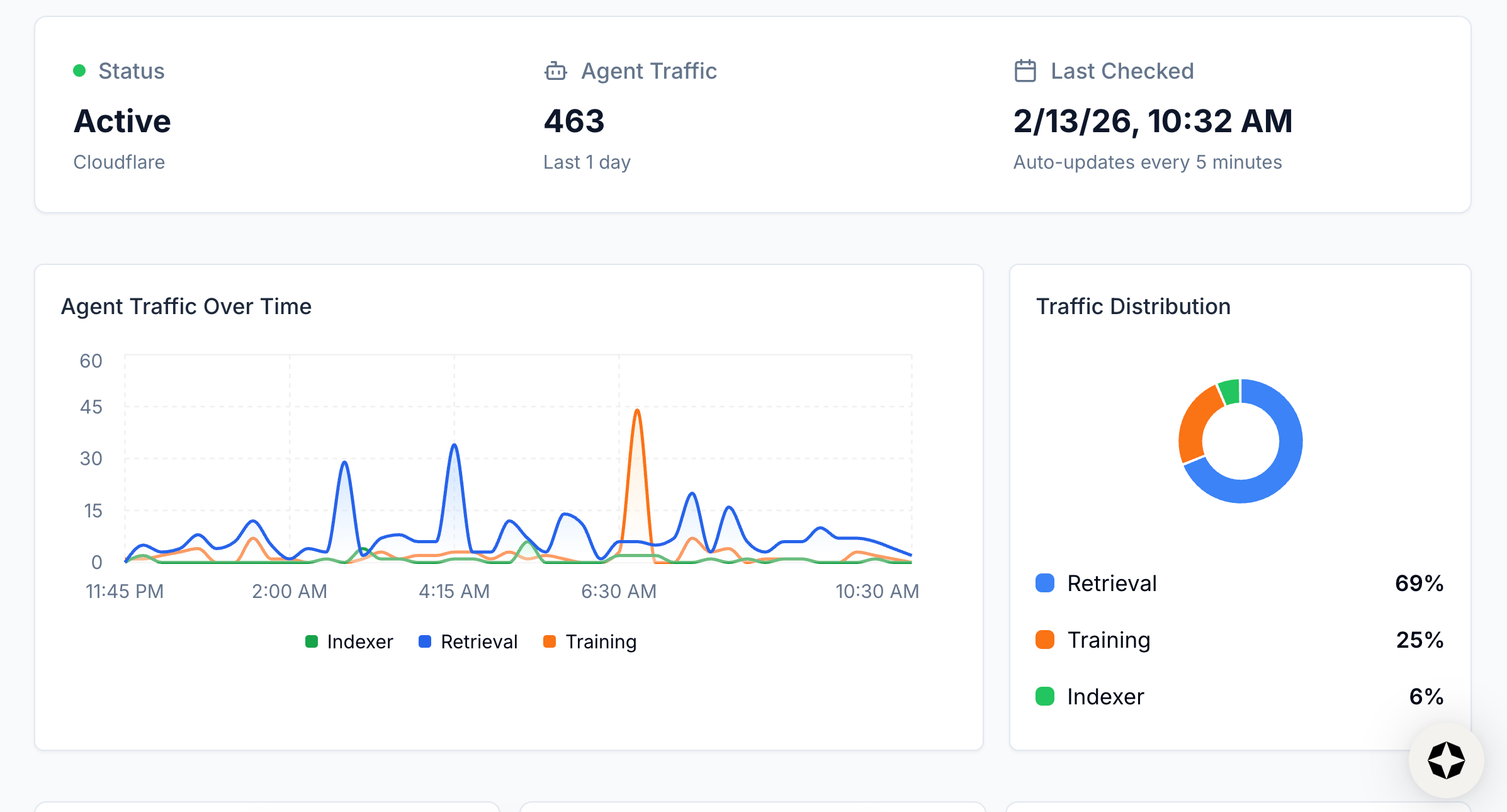
Scrunch detects AI bot traffic through direct integrations with your CDN or hosting provider. These connections capture real-time bot requests that never appear in traditional analytics tools like Google Analytics 4 (GA4), then classify them by bot type and platform — so you can see which AI agents are accessing your content, what they're requesting, and how often. Because most AI crawlers don't execute JavaScript, standard pageview-based analytics miss the majority of this traffic entirely.
| Bot Category | Purpose | Known Examples |
|---|---|---|
| Training bots | Collect data to improve model performance | GPTBot (OpenAI), ClaudeBot (Anthropic) |
| Indexer bots | Crawl content to build searchable indexes used by AI search platforms | PerplexityBot (Perplexity), Google-Extended (Google AI Overviews) |
| Retrieval bots | Fetch content in real time to answer specific user prompts, at the moment a query is submitted | ChatGPT browsing, Perplexity real-time fetch |
Once your CDN or host is connected, the Agent Traffic tab provides five categories of insight:
This visibility helps you understand which AI platforms actively engage with your content, which pages attract the most crawler attention, and how your AI search visibility compares across platforms like ChatGPT, Perplexity, and Google AI Overviews.
GA4 and standard pageview-based analytics rarely capture AI bot activity because bots typically don't execute page scripts — meaning crawls from agents like GPTBot, PerplexityBot, or ClaudeBot go entirely unrecorded in conventional dashboards. Raw server logs can surface some of this activity, but they are often noisy, incomplete, and provide no classification of requests by AI model, platform, or intent. The result is a systematic blind spot: brands have no reliable way to know whether their content is being read, indexed, or cited by AI systems.
Scrunch goes beyond both by offering three capabilities standard tools lack:
Scrunch uses two complementary data sources to separate bot activity from human visits influenced by AI:
Together, these two views give a complete picture: supply — how often and how deeply AI systems pull from your content — and demand — how often users arrive at your site having been influenced by an AI answer. Neither metric alone is sufficient; a site can receive heavy crawler traffic without generating AI-driven human visits, or attract AI referrals from content that is rarely re-crawled.
Scrunch currently tracks bot and referral traffic across nine major AI platforms:
Support for Grok is coming soon.
Scrunch provides three tools to verify that AI agents can read and use your content — and to improve how they do it:
Tip: Unless your content is paywalled or otherwise monetized behind access controls, allow legitimate AI crawlers to access your site. Blocking bots like GPTBot or ClaudeBot via robots.txt prevents LLMs from accurately representing your brand in AI-generated answers. The more accurately AI models can read and index your content, the more likely they are to cite it in responses to relevant user queries.
Scrunch offers native integrations with six major CDN and hosting providers:
If your CMS doesn’t expose raw CDN logs (e.g., HubSpot CMS, BigCommerce, Shopify, Squarespace, Uberflip, Webflow, Wix), you can still integrate via a Cloudflare proxy.